

MoneyWiz
get money management superpowers 💪


The new MoneyWiz 2024 adds more than 100 new features, more intuitive design, support for the new Macs powered by the M1 chip, full compatibility with macOS Monterey and iOS 15, plus a whole lot more.
what's new | roadmap

The MoneyWiz Difference
MoneyWiz is not like other finance apps. It's packed with features for the pro-user, yet it's easy to use for the beginners. It doesn't tell you how you should manage your money, instead it's so versatile that it allows you to manage them the way that makes sense to you!
Bank sync like no other
Connect to over 40,000 banks in 50+ countries worldwide, via 4 different data providers. Automatically categorizes, detects transfers & refunds and automatically reconciles.
Cloud sync like no other
Works offline and syncs completely automatically when online. Backed by 256bit military grade encryption for both data transfer & storage!
Fastest improving app
We release new updates with actual new features almost every week! We also keep a transparent roadmap so you know what to expect.
Fully featured on desktop & mobile
With MoneyWiz, you get all the power of a desktop app even on your iPhone and iPad!
It's easy to start!
Worried that getting started is hard or time consuming? Worry not! Once you install MoneyWiz you can browse demo data or start with your own.
Signing up takes less than 10 seconds!
Demo mode
Explore MoneyWiz with computer generated demo data before you decide if it’s right for you.
Free trial
Sign up for a MoneyWiz account to get a 1 week, no commitment trial. Signing up takes seconds, with Sign up with Apple.
Import
Using another finance app? No problem! MoneyWiz can import financial data from CSV, QIF, OFX and MT940 files.
Start from scratch
If you prefer to just start 🍊fresh, MoneyWiz makes it a breeze. Connect to your banks or track everything manually, it’s up to you!
It all starts with your
Accounts
Whether you want to import data from another app you've been using, connect to your banks or just manage things manually, we've got you covered!
Start by adding your accounts. You'll need that later if you want to setup budgets or bills tracking.
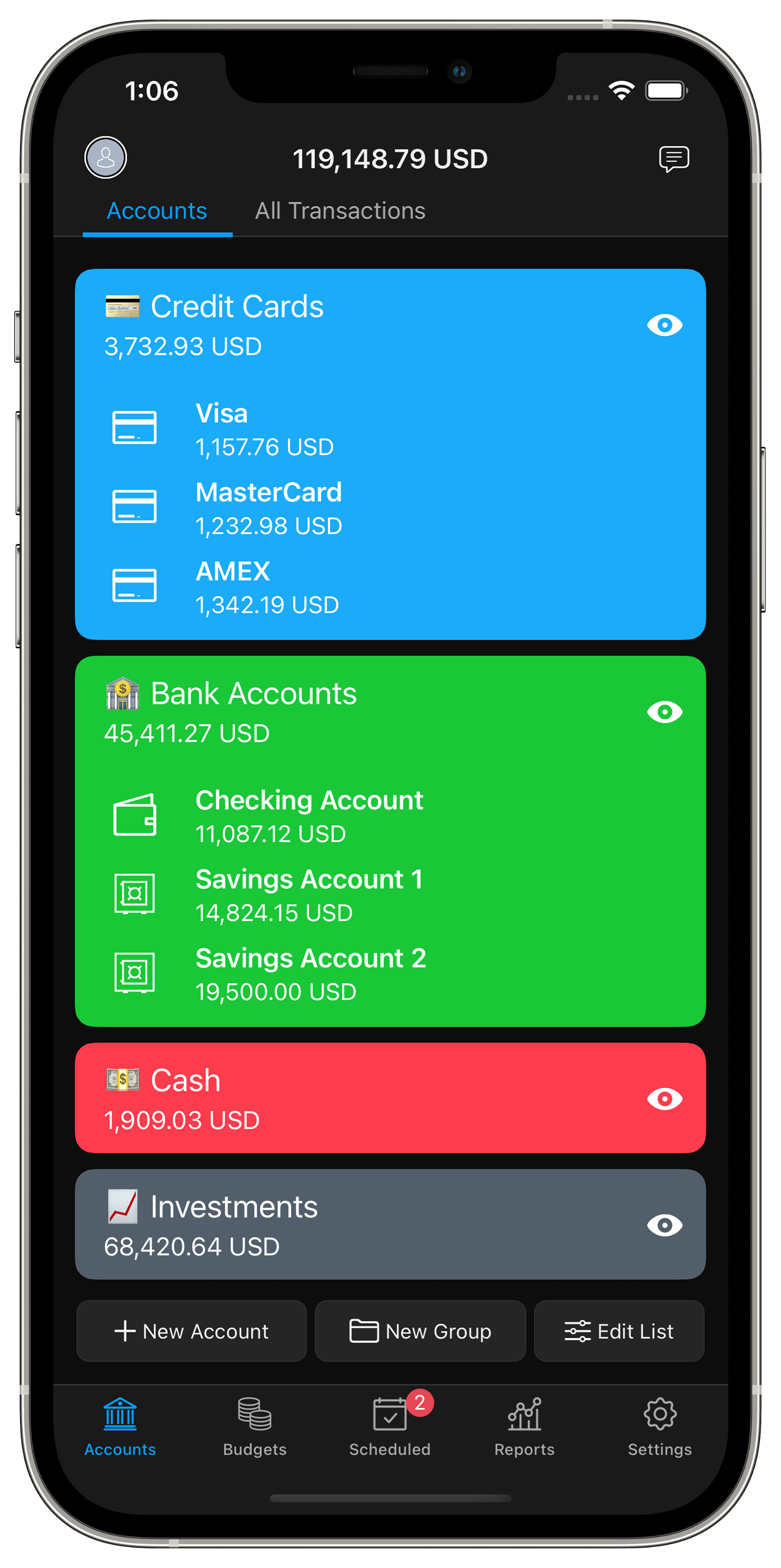
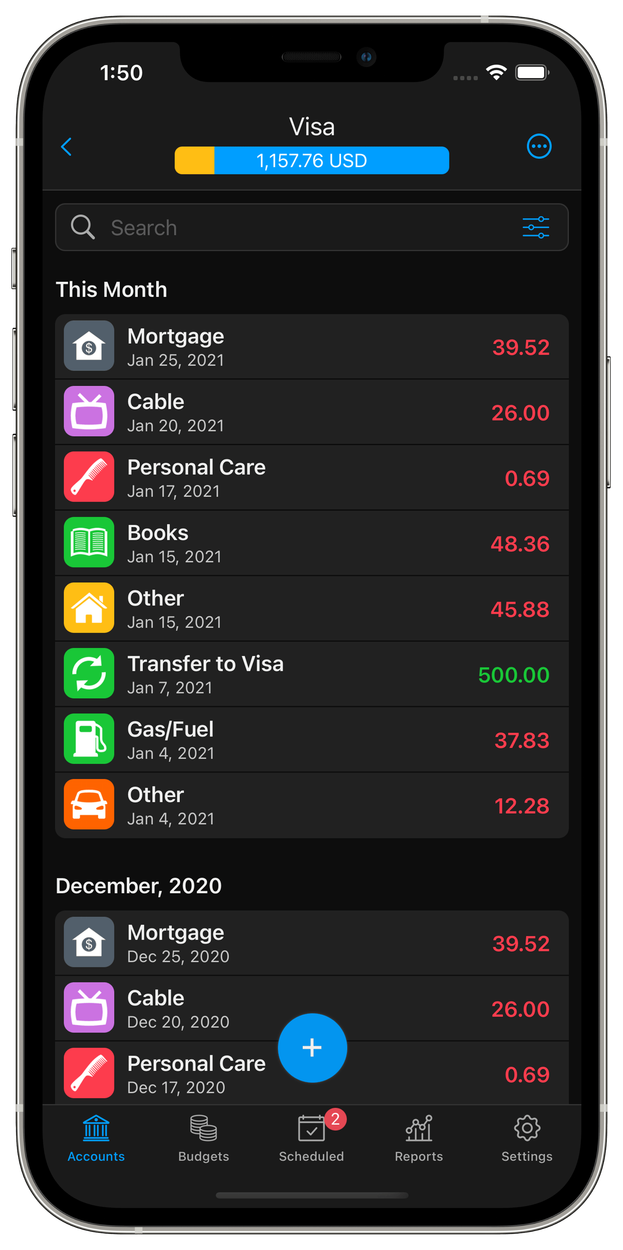
See your net worth, accounts, balances and transactions in one place. Easily search transactions.
Import financial data from CSV, QIF, OFX, QFX or MT940. MoneyWiz will take care of automatically linking categories & payees as well as skipping duplicates.
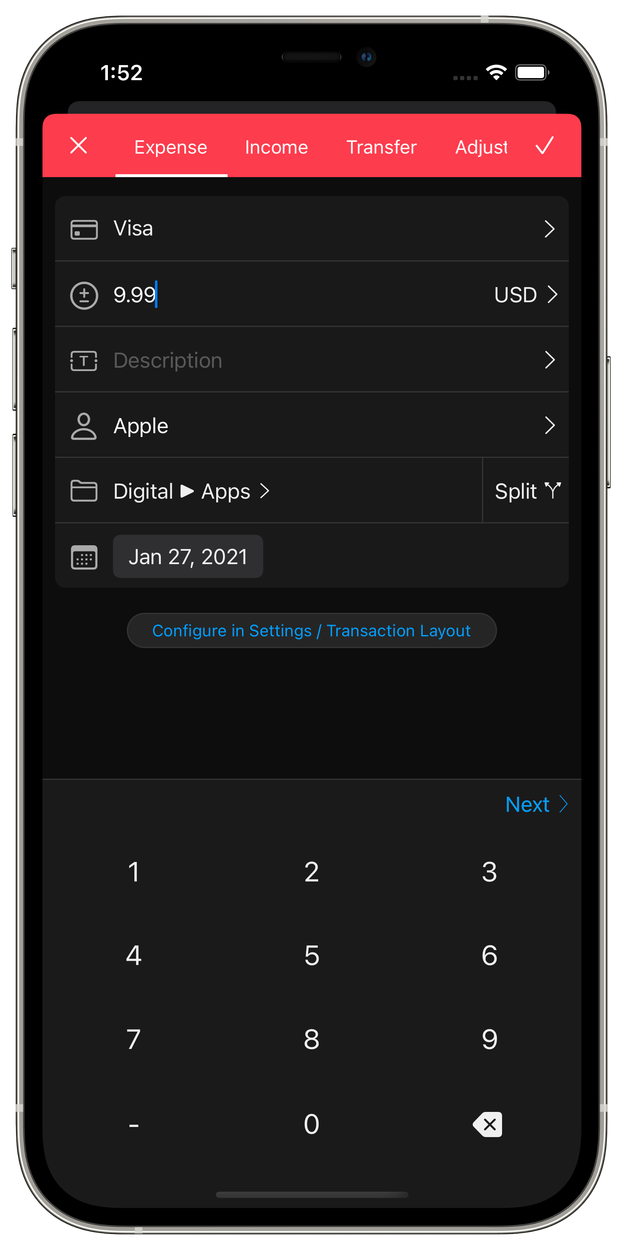
Log transactions manually, even in accounts connected to a bank! Configure your own transaction fields. Attach receipts.
Group accounts any way you want. Give the groups a color. Managing many accounts has never been more flexible!
Budget the way that works for you
Stay on top of your spending and easily achieve your saving goals. MoneyWiz offers both income & expense based budgets with automatic detection of new transactions based on categories or tags. You can easily rebalance the budgets at any time by moving money from one budget to another. The built-in budget progress view shows you exactly where you are vs where you should be.

Stay on top of your bills
Have all your recurring and one time expenses and incomes in one place. With a calendar that shows you exactly what to expect and when. Tap on any date in the future to get an instant forecast.

Analyze your money
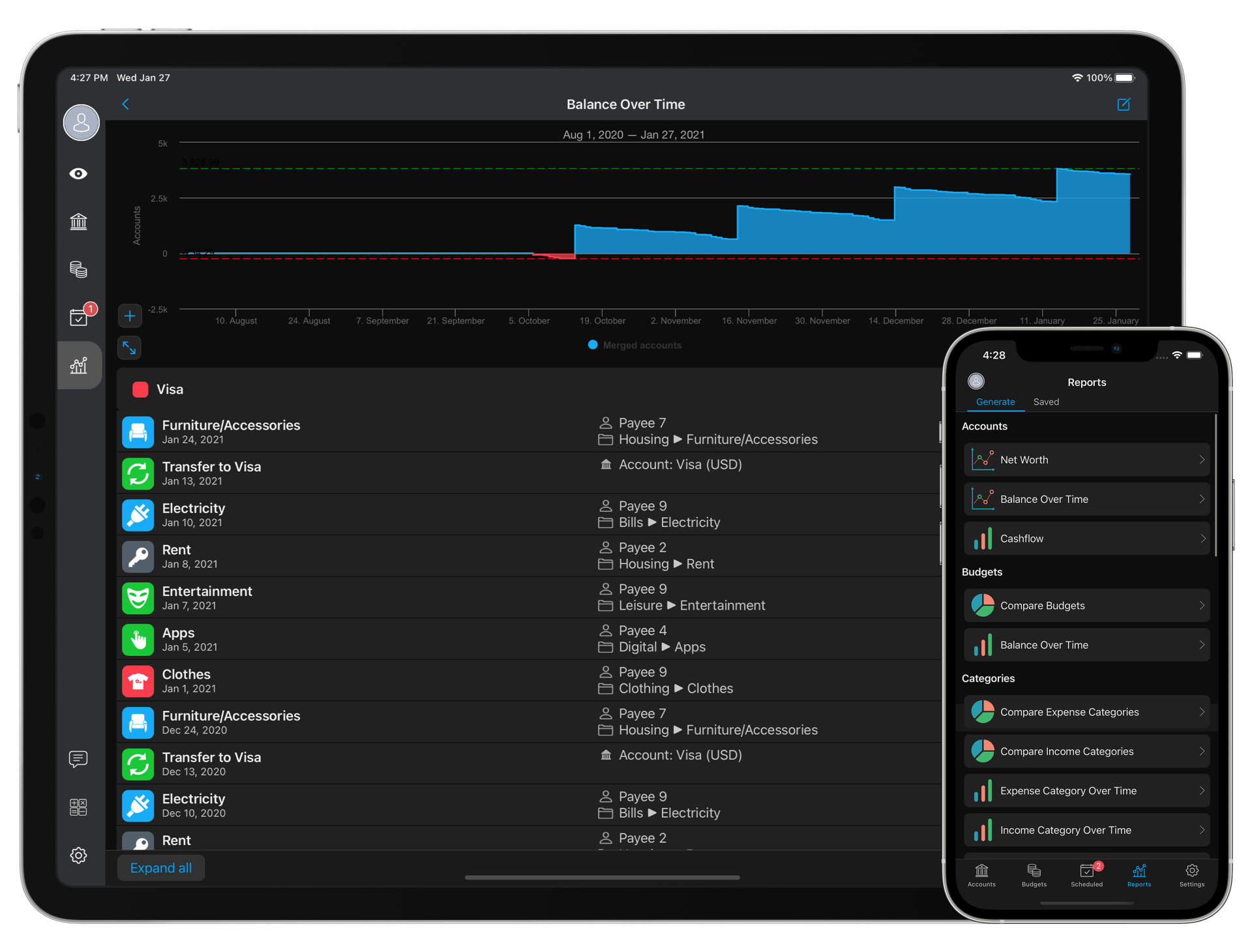
MoneyWiz features over 30 different reports, from basic reports like Net Worth or Category spending over time, to more advanced such as Cashflow and Profit & Loss.
Reports can be exported to CSV or PDF and easily shared. You can also print them or save them locally in MoneyWiz for quick access next time you need them.
Make it yours
With so many features packed together, you can customize MoneyWiz to work the way you work. From having custom multi-level categories, to configuring what data fields you want to see in your transactions register and when entering new transactions, as well as all the little details in between.

Customers love us
4.7
out of 5
from over 4000 reviews across all platforms and versions
★★★★★
Best Money Management App
Amazing app on iOS & Mac and excellent customer service from the team.
by JasonHoops Fri, Jan 1, 2021 v 2021.1.2 🇬🇧 United Kingdom
Best Software for Self Employed!
I love how I can use my phone, iPad & Mac to do all my bookkeeping on the go. Really great for small business bookkeeping. I use Cash basis method for my business.
by Tonya Den Norse Wed, Dec 30, 2020 v 2021.1.2 🇺🇸 United States
Super handy!
I have been using moneywiz for years and am very satisfied. The subscription is not really cheap, but what you get in return is well worth it to me. Clear, well-organized and simple to use. I recommend it to everyone.
by Danaatje77 Wed, Dec 16, 2020 v 2020.50.2 🇳🇱 Netherlands